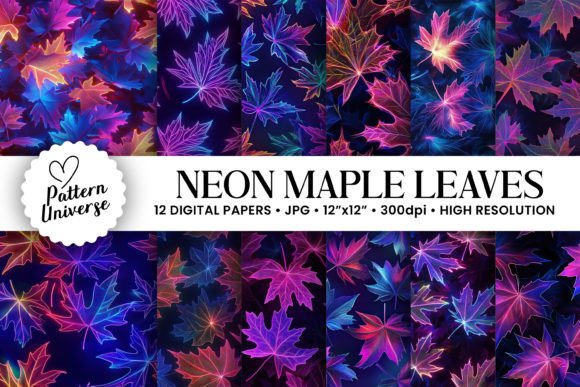
Holographic Maple Leaves Digital Papers: Avoiding Common Pitfalls for Professional Results
When you first encounter Holographic Maple Leaves Digital Papers, the shimmering effect often feels like magic. The way light catches the iridescent patterns creates a sense of depth and luxury that standard flat prints simply cannot replicate. However, while the visual appeal is undeniable, many creators jump straight into downloading without understanding the specific technical nuances required to make these files work effectively in their projects. Whether you are a small business owner preparing holiday invitations or a hobbyist looking to wrap unique gifts, the difference between a stunning final product and a disappointing one often lies in how you handle the file specifications before you even open your design software.
The allure of AI-generated seamless patterns is strong because they offer complexity and uniqueness that would take hours to create manually. Yet, this convenience comes with a responsibility to verify quality. A common mistake I see beginners make is assuming that "AI-generated" means the image will automatically look good at any size. This is rarely true. If you do not check the resolution and pixel dimensions before purchasing, you risk printing a beautiful holographic leaf pattern only to find it looks pixelated or blurry when scaled up for a large tumbler wrap or a high-quality greeting card. This error can lead to wasted money on expensive materials and a project that fails to meet professional standards.
Understanding Resolution and Print Quality
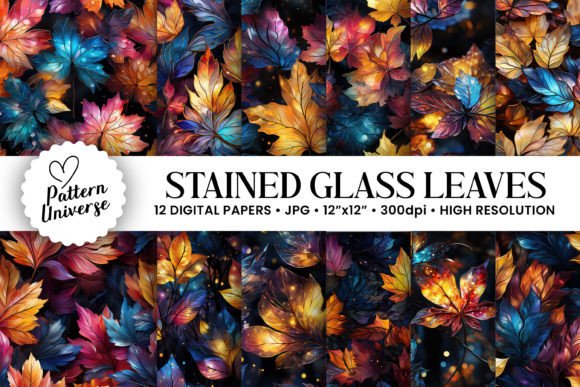
One of the most critical aspects of working with digital papers is the resolution. Many users overlook the importance of 300dpi until it is too late. When you download a file intended for print, such as our collection of 12 Holographic Stained Glass Maple Leaves Seamless Patterns, you need to ensure the file size matches your output needs. Our set includes files sized at 3600 x 3600 pixels, which translates to 12″ x 12″ at 300dpi. This is the industry standard for crisp, high-resolution printing.
If you attempt to stretch a low-resolution image to fit a larger canvas, the holographic effect will break down, resulting in jagged edges and a loss of detail. This is particularly damaging for intricate designs like stained glass leaves, where fine lines define the entire aesthetic. To avoid this, always check the pixel dimensions in your file properties before starting your project. If you plan to use these papers for large-scale backgrounds or banners, you may need to consider if the 12x12 inch size is sufficient or if you require a custom extension. For most craft projects, including scrapbooking and gift wrapping, the provided dimensions are ideal, but verifying this upfront saves significant frustration later.
Selecting the Right Format for Your Project
Another frequent oversight involves the format and organization of the digital files. When you purchase a bundle described as being within a single zip file, it is easy to assume all files are ready to go immediately. However, different projects require different workflows. For instance, if you are designing an invitation suite, you might need to layer the holographic maple leaves over other elements. If you are creating a tumbler wrap, you need to ensure the aspect ratio fits the cylindrical surface without distortion.
Some creators mistakenly try to use these seamless patterns as raster images in vector-based software without converting them properly, leading to scalability issues. While the files are high-resolution, they are still raster images (JPEG or PNG). If you need to resize them infinitely without losing quality, you must trace them or use them as background textures rather than primary scalable graphics. Additionally, ensure your design software supports the color profile of the holographic effect. Sometimes, what looks vibrant on your screen appears duller on paper due to printer calibration. Always perform a test print on a standard sheet of paper before committing to expensive cardstock or specialty vinyl.
Maximizing Versatility Across Craft Projects
The versatility of Holographic Maple Leaves Digital Papers is one of its strongest selling points, but utilizing them across various mediums requires a strategic approach. These patterns are perfect for gift wrapping, greeting cards, invitations, and tumbler wraps, but each application has unique requirements.
- Gift Wrapping: When using these for wrapping, consider the texture of the paper you choose. A glossy finish enhances the holographic shine, while matte paper might mute the effect. Ensure your printer settings are adjusted for the specific weight of the wrapping paper to prevent jamming or poor ink adhesion.
- Greeting Cards and Invitations: For these delicate items, the 300dpi resolution is essential. Do not try to scale the 12x12 inch image down too drastically for small tags, as this can sometimes cause the fine details of the stained glass pattern to become indistinguishable. Instead, crop the image to focus on a single leaf motif or a section of the pattern.
- Tumbler Wraps: This is a popular use case for entrepreneurs. The seamless nature of the pattern allows it to wrap around a cylinder without visible seams. However, remember that the holographic effect relies on light reflection. A wrap printed on a flat surface will look different once curved. Test your design on a plain tumbler first to see how the light interacts with the curve.
- Scrapbooking and Backgrounds: For digital scrapbooking, the high resolution ensures that zooming in on photos or journaling areas does not reveal pixelation. As backgrounds, these papers add a premium feel to digital presentations or blog headers, but be mindful of contrast. If your text is white, a bright holographic background might make it hard to read; adjust the opacity or add a subtle shadow to improve legibility.
Evaluating Value and Usage Rights
Before you finalize your purchase, it is vital to evaluate the value proposition beyond just the number of files. You are getting 12 digital papers, but the real value lies in the uniqueness of the AI-generated designs. Unlike generic clip art, these holographic maple leaves offer a distinct style that stands out in a crowded market. However, be aware of licensing restrictions. Some digital products limit commercial use, while others allow unlimited sales. Always read the terms of service to ensure you can use the files for your small business, freelancing projects, or educational materials without legal complications.
A common misconception is that a lower price point equals better value. In the world of digital assets, cheap files often lack the necessary resolution or contain watermarks that ruin the final look. Investing in a high-quality set like this, which guarantees 300dpi and clean seamless patterns, ensures that your end product reflects positively on your brand. It prevents the embarrassment of sending out invitations with blurry graphics or selling wrapped gifts that look amateurish upon closer inspection.
Final Steps for Success
To get the most out of your Holographic Maple Leaves Digital Papers, take a moment to organize your workspace. Extract the zip file immediately and back it up. Create a folder structure that separates your different project types, such as "Invitations," "Wrapping," and "Digital Backgrounds." This simple organizational step prevents the confusion of searching for the right file when deadlines loom.
Remember that the holographic effect is dynamic. It changes depending on the viewing angle and lighting conditions. Use this to your advantage by positioning your designs so that the light hits them optimally. Whether you are a beginner exploring digital crafts or a seasoned pro looking to add a touch of seasonal elegance to your portfolio, paying attention to these details ensures that your creative vision is realized exactly as intended. By avoiding the common pitfalls of resolution errors, format mismatches, and licensing oversights, you can confidently produce high-quality work that delights your customers and friends alike.